Instagram Video, Reels, Story & Photo Downloader – Paste Link to Save in HD
Open SnapInsta, paste an Instagram link, and download without watermark. Works on iPhone, Android, Windows, and Mac.
SnapInsta – Powerful Instagram Video Downloader Without Watermark
Save Instagram Videos, Reels, Stories, Photos, and IGTV in HD. SnapInsta is fast, secure, and free—no app, no login.
This guide walks you through the essentials of SnapInsta—an instagram video downloader designed for speed, clarity, and privacy. You’ll see why SnapInsta outperforms extensions, what formats it supports, and the exact steps to paste a link and download in HD across iPhone, Android, Windows, and Mac.
We also cover best practices to keep downloads clean and consistent, plus quick access to individual tools like the Instagram Reels downloader, Story saver, Photo downloader, and the SnapInsta MP3 page for audio-only exports.
Instagram Video Downloader
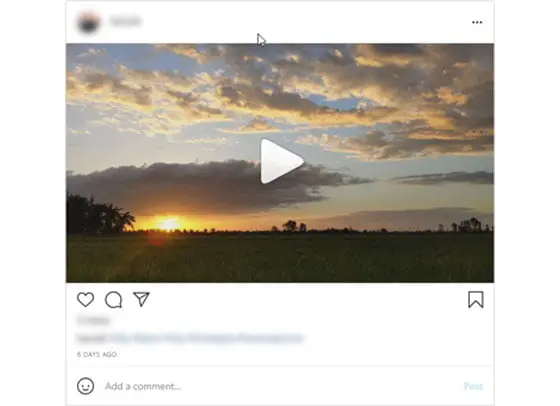
Paste a link and save public Instagram videos in clean HD—no watermark, no app install. Works the same on iPhone, Android, Windows, and Mac. SnapInsta is the fastest instagram video downloader for everyday creators, marketers, and researchers.
Instagram Photo Downloader
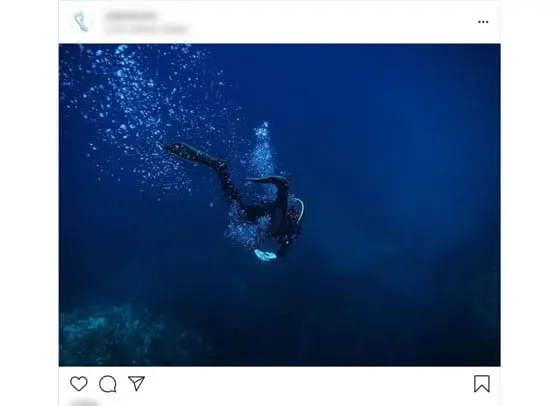
Save single images and carousels in crisp, original resolution. Stop screenshotting—keep your mood boards, references, and study decks sharp on any display. SnapInsta keeps the full quality your eye expects.
Download Instagram Reels
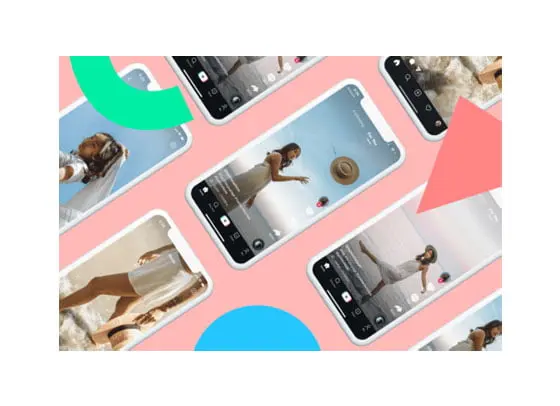
Grab Reels for offline review, editing references, or inspiration. Fast parsing, clean MP4 output, and no branding overlays. SnapInsta returns the same file Instagram delivers — no recompression, no watermark.
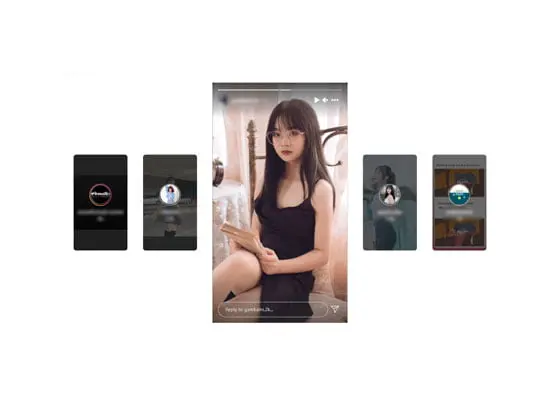
Instagram Story Download
Stories vanish after 24 hours—archive the moments that matter from public accounts, quickly and privately, straight to your device. SnapInsta supports both photo and video stories in their best available resolution.
Instagram Story Viewer (Anonymous)
Preview public Stories anonymously where available and save them in the best quality offered by the source — no login required. SnapInsta keeps your browsing private while letting you research, archive, or revisit content freely.
SnapInsta Overview – Fast & Clean Instagram Video Downloader for Every Device
SnapInsta is a browser-based instagram video downloader built to save public Instagram content in HD without watermark. Open SnapInsta, paste a link, and download instantly on iPhone, Android, Windows, and Mac.
Because Instagram offers no native save button for Reels, Stories, Photos, IGTV or long feed videos, millions of users choose a trustworthy instagram video downloader like SnapInsta. The flow is simple: copy link → paste → download. No app installs, no account, no friction.
Creators archive their own clips, teachers collect references, marketers capture competitive examples, and fans keep memorable Reels for offline viewing. If you want a reliable, private, and predictable instagram video downloader, SnapInsta is for you.
What This Page Covers
How the SnapInsta instagram video downloader works end-to-end, why it outperforms extensions or random APKs, which content formats you can save (Videos, Reels, Stories, Photos, IGTV), and practical steps to paste a link and download in seconds.
You’ll also find best practices for cleaner results, device-specific tips, and quick links to focused tools like the Instagram Reels downloader, Story saver, Photo downloader, and the SnapInsta MP3 page.
Why SnapInsta? Key Benefits of Our Instagram Video Downloader
Many download sites stamp logos or compress files. SnapInsta keeps output clean and high-quality, with a web-first architecture for safety, speed, and portability. The instagram video downloader runs in the browser, so you avoid shady installs and broad device permissions.
- No watermark output for Videos, Reels, Stories, Photos, and IGTV.
- HD-first preservation of the best quality available from the source.
- Zero install — just a modern browser. iPhone / Android / Windows / Mac supported.
- Free to use, privacy-friendly, and encrypted from request to response.
- Fast parsing even on longer posts; consistent results across devices.
What You Can Save with SnapInsta
Use SnapInsta as a full-stack instagram video downloader, a Reels saver, a Story viewer/downloader, a high-resolution photo & carousel saver, and even an audio extractor. One simple workflow for every format.
Reels Downloader (Clean MP4)
Trends move fast. SnapInsta extracts Reels links and returns clean MP4 files ready for review, editing, or offline playback — without watermark overlays that distract from pacing, cuts, or color.
Stories Downloader / Anonymous Viewer
Stories disappear in 24 hours. With SnapInsta, you can preview public Stories anonymously and save the moments that matter — no login, no extension, just the instagram video downloader in your browser.
Photo & Carousel Saver (Original Resolution)
Screenshots are fuzzy. SnapInsta preserves clarity by pulling the best available resolution for single images and carousels, so mood boards and reference decks stay sharp on large displays.
Feed Videos & IGTV (Long-Form)
Long posts are where many tools struggle. SnapInsta is tuned for duration and sync, helping you keep the original look and sound where the source allows.
Audio-Only (MP3)
When you only need sound, use the dedicated MP3 tool to convert public Reels or videos into clean tracks for personal study, voiceover practice, or sound-design references.
How the Instagram Video Downloader Works — Paste, Download, Done
No technical knowledge required. The flow is identical on mobile and desktop and works for every supported format (Videos, Reels, Stories, Photos, IGTV).
Step by Step
- Open Instagram and navigate to the public post you want.
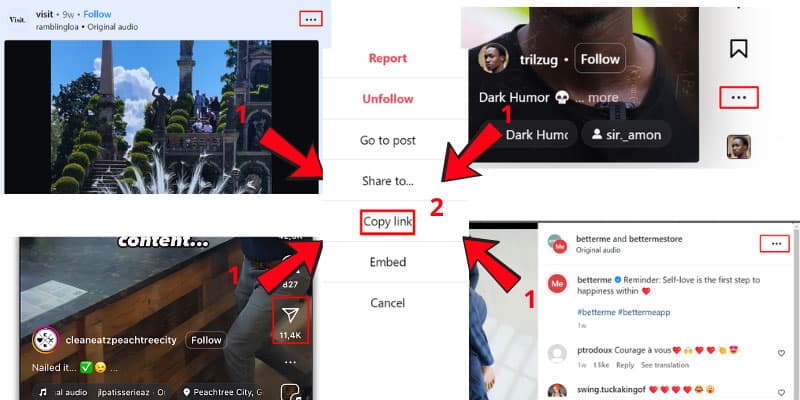
- Tap ••• or Share → Copy Link to copy the exact post URL.
- Open SnapInsta and paste the URL into the input field above.
- Click Download and wait a few seconds while SnapInsta parses the link.
- If it’s a carousel, select items to save; for audio-only, switch to the MP3 page.
Best Practices for Stronger Results and Clean Libraries
SnapInsta is fast, but output quality still depends on the source. Start from high-quality uploads for the best results. Teams should standardize folder naming (campaign/date/aspect) so offline archives stay searchable.
- Use up-to-date browsers for the best compatibility and performance.
- Avoid suspicious prompts — SnapInsta never asks for Instagram passwords or app installs.
- If a video streams instead of saving, long-press (mobile) or right-click (desktop) → Save video as…
- Copy the exact post URL (not profile or home feed) to minimize parsing errors.
- Always respect copyright and local laws; credit creators where appropriate.
Getting to Know SnapInsta Basics
At its core, SnapInsta is a solution for saving public Instagram content to your device — quickly, cleanly, and in the highest quality available. While Instagram focuses on creation and sharing, SnapInsta fills the missing ‘save’ gap with an instagram video downloader that works the same across phones and desktops.
You might see app-store clones or suspicious extensions promising downloads, but a web-first tool like SnapInsta avoids risky installs, trackers, and unnecessary permissions. Open your browser, paste a link, and get a clean result without watermark or compression.
Because SnapInsta is built for beginners and power users alike, the interface stays lightweight: one box for links, one button for downloads, and clear choices when a post contains multiple media items.
Main Functions of SnapInsta
SnapInsta is versatile. It serves as an instagram video downloader for Reels and long feed posts, a Story saver/viewer, a photo & carousel downloader, and a simple audio extractor when you only need MP3.
Each function shares the same secure pipeline and the same privacy-first approach — no Instagram login, no account creation, and no watermark added to the file you save.
Download Instagram Stories
Stories expire after 24 hours, which is great for spontaneity but bad for archiving. SnapInsta lets you save public Stories in high quality, so references, tutorials, or memories remain accessible offline.
Save Instagram Photos
Instead of low-fidelity screenshots, use SnapInsta to keep the original resolution. Single images and carousels download crisply, ideal for design boards, research decks, and mood collections.
Download Reels
Short-form edits deserve clean playback. SnapInsta’s instagram video downloader returns watermark-free MP4 files that preserve the pacing, color, and audio of the original upload.
Instagram Feed Video Download
Longer explainers, product demos, or interviews are also supported. SnapInsta aims to maintain sync and quality for long-form posts as the source allows.
Why Choose SnapInsta as Your Instagram Downloader?
Speed, quality, and safety. SnapInsta combines quick parsing with HD-first output, cross-device consistency, and a strict no-login policy. The instagram video downloader stays focused on a single job — getting you the cleanest file possible with minimal steps.
Because the service is free and web-based, teams can rely on SnapInsta without procurement hurdles or rollout delays. Open a browser, paste a link, download, repeat.
Performance, Quality, and Reliability
SnapInsta prioritizes fidelity. Our instagram video downloader tries to keep the best stream the post exposes so your downloads look like the original. If Instagram changes link delivery, SnapInsta adapts behind the scenes to maintain reliability.
A single copy-and-paste flow means fewer failure points and a repeatable process for individuals and teams.
Compliance & Ethical Use
SnapInsta supports publicly accessible content and encourages lawful reuse. For private or commercial reposting, obtain permission from rights holders, follow Instagram’s Terms, and comply with copyright rules in your region.
Treat SnapInsta as a utility for lawful archiving, research, and personal reference.
Who Uses SnapInsta? Creators, Marketers, Educators, and Researchers
SnapInsta is built for everyone, but five user groups gravitate toward it the most because the instagram video downloader fits naturally into their daily workflow. Each group benefits from the same fast, watermark-free, login-free pipeline — they just point it at different kinds of Instagram content.
Independent Creators and Influencers
Creators use SnapInsta to archive their own Reels, Stories, and feed videos in their highest available quality. When you bounce between phones, edit on a desktop, or rebuild a portfolio after switching accounts, an instagram video downloader becomes essential infrastructure. SnapInsta keeps clean MP4 files ready for re-edits, repurposing on TikTok or YouTube Shorts, and long-term portfolio storage.
Social Media Marketers and Agencies
Marketing teams pull competitor Reels, brand-collab Stories, and trending Photos into shared drives every day. With SnapInsta as their default instagram video downloader, that research becomes one paste away — no installs, no permission requests on shared workstations. Watermark-free output keeps client presentations clean, and the no-login model means agencies can comply with strict IT policies.
Educators, Students, and Researchers
Instagram is now a primary source for visual culture, viral language, and trend data. SnapInsta lets educators save public posts as lecture material, lets students download visual references for projects, and lets media researchers archive Stories before they expire. The instagram video downloader preserves the file in original form so citations and analysis stay accurate.
Designers, Photographers, and Mood-Board Builders
Designers stop screenshotting — they use SnapInsta to pull original-resolution Instagram photos and carousels into Pinterest-style inspiration libraries. Mood boards finally look as crisp as the source. Photographers archive their own client deliveries off Instagram in case the post is ever removed.
Everyday Users Who Just Want to Save Memories
Most people land on SnapInsta because a friend posted something funny in a Story, or because a recipe Reel deserves to be saved. The instagram video downloader handles those one-off saves in seconds, with no account, no install, and no awkward extension permissions.
SnapInsta vs Screenshots, Screen Recording, and Browser Extensions
There are three other ways people try to save Instagram content, and all of them have real trade-offs. Understanding the differences is the fastest way to see why SnapInsta has become the default instagram video downloader for serious users.
Screenshots lose video entirely and degrade photo quality through display compression. You also capture your phone’s status bar, notch, and Instagram UI chrome — content you then have to crop out manually. The original resolution is never recoverable from a screenshot.
Screen recording captures the playback in real time, which means you pay full bandwidth for a file that is then re-encoded to whatever your device can record. Aspect ratios get cropped, audio sometimes desyncs, and your battery takes a hit. SnapInsta downloads the original MP4 the CDN serves — no re-encoding, no quality loss.
Browser extensions promise convenience but introduce risk. Extensions request broad access to read every page you visit, sometimes inject ads, and frequently break when Instagram updates its DOM. SnapInsta is a clean web-based instagram video downloader: no extension, no permissions, no risk of the tool reading your other tabs.
The bottom line: SnapInsta wins on quality, privacy, and reliability simultaneously, which is unusual in this category. That’s why thousands of users replace screenshot folders and shady extensions with a single SnapInsta tab.
Device-Specific Guides: iPhone, Android, Windows, and Mac
SnapInsta is designed to work the same on every device, but the small details of how Instagram and your operating system save files differ. Here’s exactly what to expect on each platform when you use SnapInsta as your instagram video downloader.
Download Instagram videos on iPhone with SnapInsta
Open Instagram, tap the three-dot menu on a public post, and select Copy Link. Switch to Safari (or Chrome if you prefer), load snapinsta.media, paste the link, and tap Download. Saved files land in the Files app under Downloads by default; videos can be moved to Photos through Share → Save Video. The instagram video downloader handles Reels, photo carousels, and Stories identically on iOS — no shortcuts or Apple-ID workarounds required.
Download Instagram videos on Android with SnapInsta
Android makes this even smoother: copy the Instagram link, open SnapInsta in Chrome or Samsung Internet, paste, and tap Download. Files go straight to the Downloads folder where your gallery app, file manager, or video editor can pick them up immediately. Because SnapInsta is web-based, the instagram video downloader works on every Android version from 8 upward without sideloading APKs.
Download Instagram videos on Windows or Mac desktop
On desktop the workflow is just as fast. Right-click the Instagram post’s timestamp and choose Copy Link Address, or use the share menu. Paste it into SnapInsta and click Download — files save to your browser’s default Downloads folder. SnapInsta works in Chrome, Safari, Firefox, Edge, and Brave, so whatever desktop browser your team standardizes on, the instagram video downloader fits without IT involvement.
SnapInsta’s Quality Pipeline — What Makes Downloads So Clean
A surprising number of Instagram downloaders re-encode the file before serving it to you. SnapInsta does not. The pipeline is intentionally simple: parse the Instagram post, locate the highest-quality MP4 or image variant that Instagram’s CDN exposes, and stream that exact file to your browser. No transcoding, no watermarking, no compression. That’s why side-by-side comparisons show SnapInsta downloads matching the source pixel-for-pixel.
For Reels and short Instagram video posts, the file you receive is the same MP4 Instagram delivers to its own native player — typically H.264 video with AAC audio, at the upload’s original bitrate. For photos and carousels, SnapInsta pulls the largest variant available (often 1080-pixel-wide JPEG or WebP), giving you original-quality images for design work or printing.
Stories are slightly different because Instagram delivers them as short MP4 clips with a 24-hour lifetime. SnapInsta resolves the public Story media, returns the clean MP4, and lets you keep it indefinitely. The instagram video downloader makes that archival possible while respecting that Stories were posted publicly.
This focus on a pure, unmodified pipeline is also what makes SnapInsta safer than tools that re-host content — your download comes directly from Instagram’s CDN through a thin secure layer, never from a third-party storage bucket. Faster delivery, no tampering, and no extra hops.
Common Mistakes When Downloading Instagram Videos (and How to Fix Them)
Most SnapInsta downloads succeed on the first try, but a handful of recurring user mistakes account for almost every failure. Knowing them in advance turns the instagram video downloader into a 100% reliable tool.
- Pasting a profile link (instagram.com/username) instead of a specific post link. SnapInsta needs the exact post URL — open the post first, then copy the link.
- Trying to download from a private account. Only public Instagram content is supported. If the account is private, request permission directly from the creator.
- Forgetting that Stories expire after 24 hours. If a Story is older than that, Instagram itself has already removed it; no instagram video downloader can recover it.
- Using a shortened or modified Instagram URL (bit.ly, custom redirect, copied from a third-party app). Always copy directly from Instagram’s Share → Copy Link option.
- Closing the SnapInsta tab while the file is still streaming. Larger Reels can take a few seconds — let the download finish before switching apps.
- Saving over slow or restricted Wi-Fi. SnapInsta is fast, but corporate VPNs or content-filtered networks can interrupt the file stream. Try a cellular network if a download seems stuck.
Core Features of the SnapInsta Instagram Video Downloader
- ✓Fast, safe, and watermark-free downloads for public Instagram content.
- ✓One-click saving of Videos, Reels, Stories, Photos, and IGTV.
- ✓HD-first output from the instagram video downloader without compression.
- ✓No Instagram login, app, or extension required — browser only.
- ✓Cross-device support: iPhone, Android, tablets, Windows, and Mac.
- ✓Consistently quick parsing — SnapInsta prioritizes speed and fidelity.
How to save from IG with SnapInsta Instagram Downloader
Note: The IG video or photo you download must be from a public Instagram account.
Copy URL of Instagram Photos & Videos
On iOS/Android, tap ••• then Copy Link. On desktop, right-click the date or use the three-dot menu and copy the post link. Make sure it’s the exact post URL, not a profile or hashtag page.
Paste Link into SnapInsta
Open the SnapInsta homepage, paste the link in the input field, and click Download. The instagram video downloader parses your URL in seconds and shows the available files.
Save in the Best Available Quality
Choose items from carousels if needed, then save. Files are stored in your browser’s default Downloads folder. For audio-only, use the MP3 page to extract soundtracks from Reels or videos.